
Excel VBA Data Comparison Masterclass
FindDataPro
Compare two datasets or sheets, find out newly Added rows, Deleted rows, and CELL level Variances with just a few clicks
Summary
- Reed courses certificate of completion - Free
- Tutor is available to students
Add to basket or enquire
Overview
Certificates
Reed courses certificate of completion
Digital certificate
- Show recruiters you've mastered in-demand skills
- Boost your CV and job applications instantly
- Share on LinkedIn to stand out from other candidates
- Transcript of completion included
Reed courses certificate of completion
Digital certificate
- Show recruiters you've mastered in-demand skills
- Boost your CV and job applications instantly
- Share on LinkedIn to stand out from other candidates
- Transcript of completion included
Curriculum
This course contains
Format: 23 Videos (with subtitles and transcripts), 4 Articles, 2 Resources and 1 Quiz
Duration: 2h and 20m
-
Introduction to Compare Data Workbook 21:34
-
Comprehensive Introduction to Compare Data Excel VBA Workbook 35:56
-
Modify VBA Codes to suit your needs 18:06
-
Data Cleaning, Format and Structure your datasets with Power Query 14:29
-
Practical and Real world application of Compare data Workbook 43:59
-
Conclusion, Thank you and Some Important Facts about Compare Data Workbook 05:00
Course media


Description
Have you ever had a need to Compare two datasets or worksheets?
As an entrepreneur, accountant, HR personnel, stockbroker, etc. comparing two datasets becomes a regular task in your career.
Whether it is to compare employee datasets, salary or payroll, stocks, sales commission and so much more; you will definitely find yourself coming across tabular worksheets from time to time.
It can get pretty tasking and most discouraging is the fact that traditional methods which you often used in Microsoft Excel such as functions, formula and power query; are not always reliable or can provide you answers.
If you are in the category mentioned above, worry no more. The perfect solution is here — Smart VBA Excel Workbook. With it, you can now find new data, deleted data, variances.
What if I say you could find out CELL level Variances with just a few clicks using the Compare data workbook? Sounds amazing?
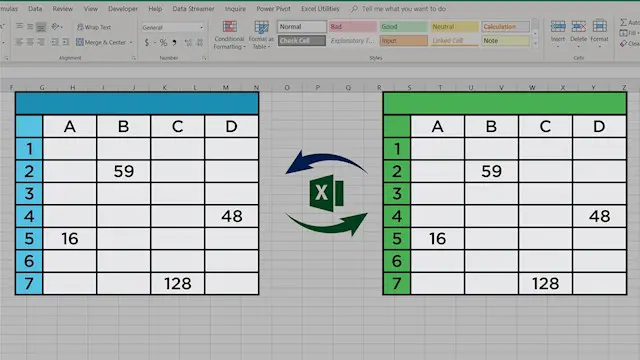
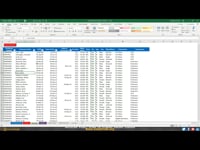
That is what Compare Data Excel VBA workbook is designed to do; it compares two similarly structured datasets or worksheets by Row and then by Each CELL.
You will typically have datasets or worksheets in periodic format, i.e. Last months dataset and Current Months dataset, and you would like to find out variances first at Row level and then at CELL level.
Compare data workbook finds out added data in a current month, removed data in a current month (from last month) and for datasets/rows/records which are existing in both places (Last month and current month), it highlights variances at each cell level.
This is something awesome, and it is difficult to achieve this with traditional Excel formulas and functions or even with Modern excel tools as Power Query Joins. The only way out is smart VBA coding in Excel.
In this course, I will walk you through how to use this fantastic compare data workbook and teach you:
How to set up the workbook for best results.
How to change important VBA Code settings to suit your need.
How to change the formatting of added data, removed data and variance data.
How to set up this workbook in an ideal way so that you can create truly dynamic and reusable reports for any complex data analysis.
In the end, we will go through two practical examples:
We will analyse the Mutual fund portfolio to find out critical variances between the two dates (position).
We will go through a comprehensive Payroll analysis exercise where I will create a fantastic Payroll variance dashboard to find out variances for various pay types (Basic, HRA, Overtime, deduction etc.) in complex payroll data.
With these examples, you will also learn how to set up this workbook to maximise your productivity.
Enrol Now and Let your data analysis and data comparison problems go away!
Who is this course for?
- Accountants & Auditors: Reconcile GL balances, intercompany transactions, or fixed asset registers quickly.
- HR & Payroll Professionals: Compare monthly payroll runs, identify unexplained variances, and ensure data integrity.
- Data & Financial Analysts: Validate data migrations, ETL processes, or system outputs.
- Any Professional who regularly needs to compare two versions of a spreadsheet (e.g., budgets vs. actuals, last month vs. this month).
Requirements
Basic Knowledge of Microsoft Excel
Basic to Intermediate knowledge of Excel Formulas and Functions
Basic to Intermediate Knowledge of Excel VBA
Career path
Mastering data reconciliation and automation with tools like this VBA workbook directly supports career progression in data-heavy UK roles:
- Data Analyst (£28,000 – £43,000): Clean, compare, and validate datasets to ensure reporting accuracy.
- Financial Analyst (£32,000 – £60,000+): Reconcile budget vs. actuals, validate model outputs, and ensure data integrity for financial planning
Questions and answers
There are currently no Q&As for this course. Be the first to ask a question.
Reviews
Currently there are no reviews for this course. Be the first to leave a review.

Add to basket or enquire
Course provided by


Legal information
This course is advertised on Reed.co.uk by the Course Provider, whose terms and conditions apply. Purchases are made directly from the Course Provider, and as such, content and materials are supplied by the Course Provider directly. Reed is acting as agent and not reseller in relation to this course. Reed's only responsibility is to facilitate your payment for the course. It is your responsibility to review and agree to the Course Provider's terms and conditions and satisfy yourself as to the suitability of the course you intend to purchase. Reed will not have any responsibility for the content of the course and/or associated materials.
